Fake numbers never hold your chair.
Only real bookings take a time.
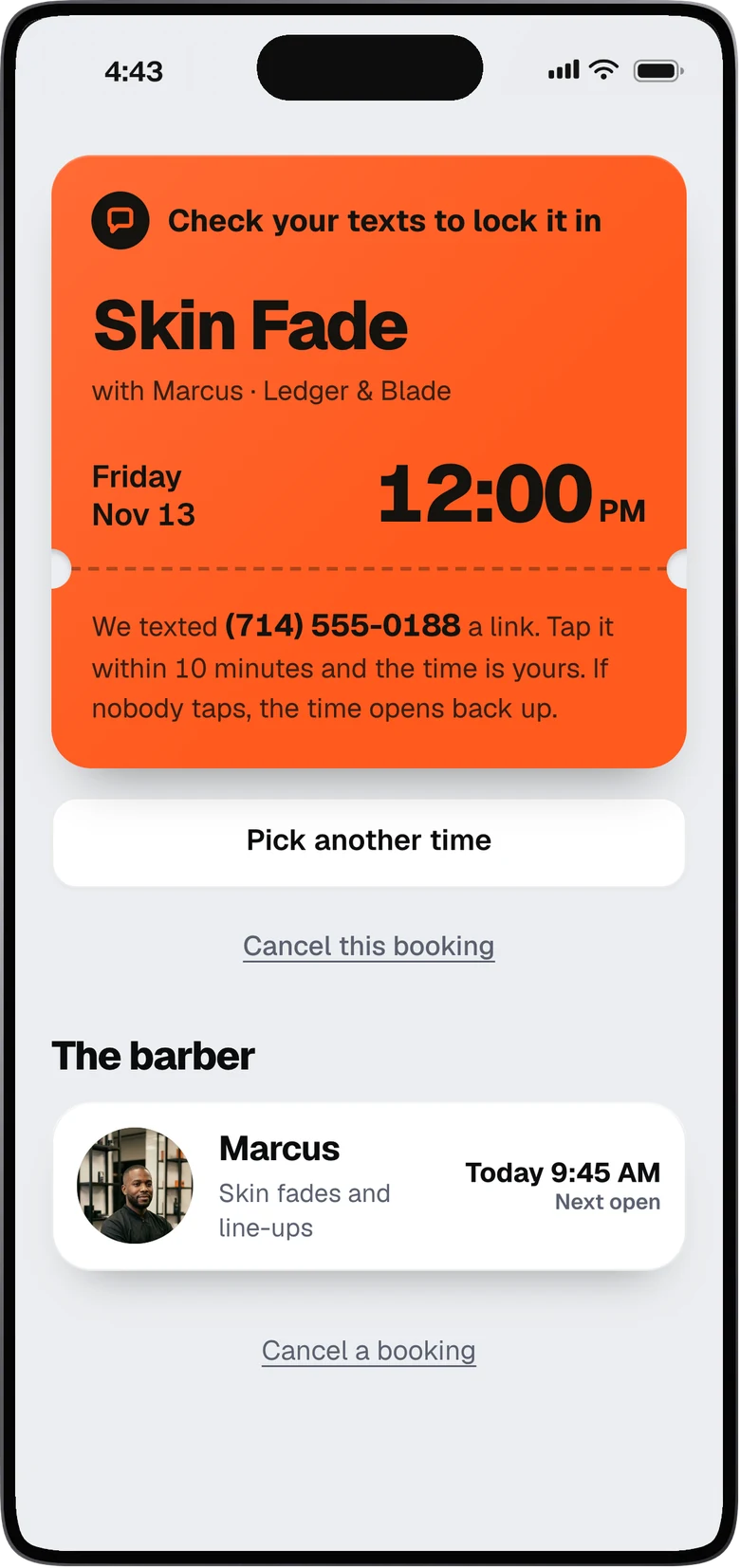
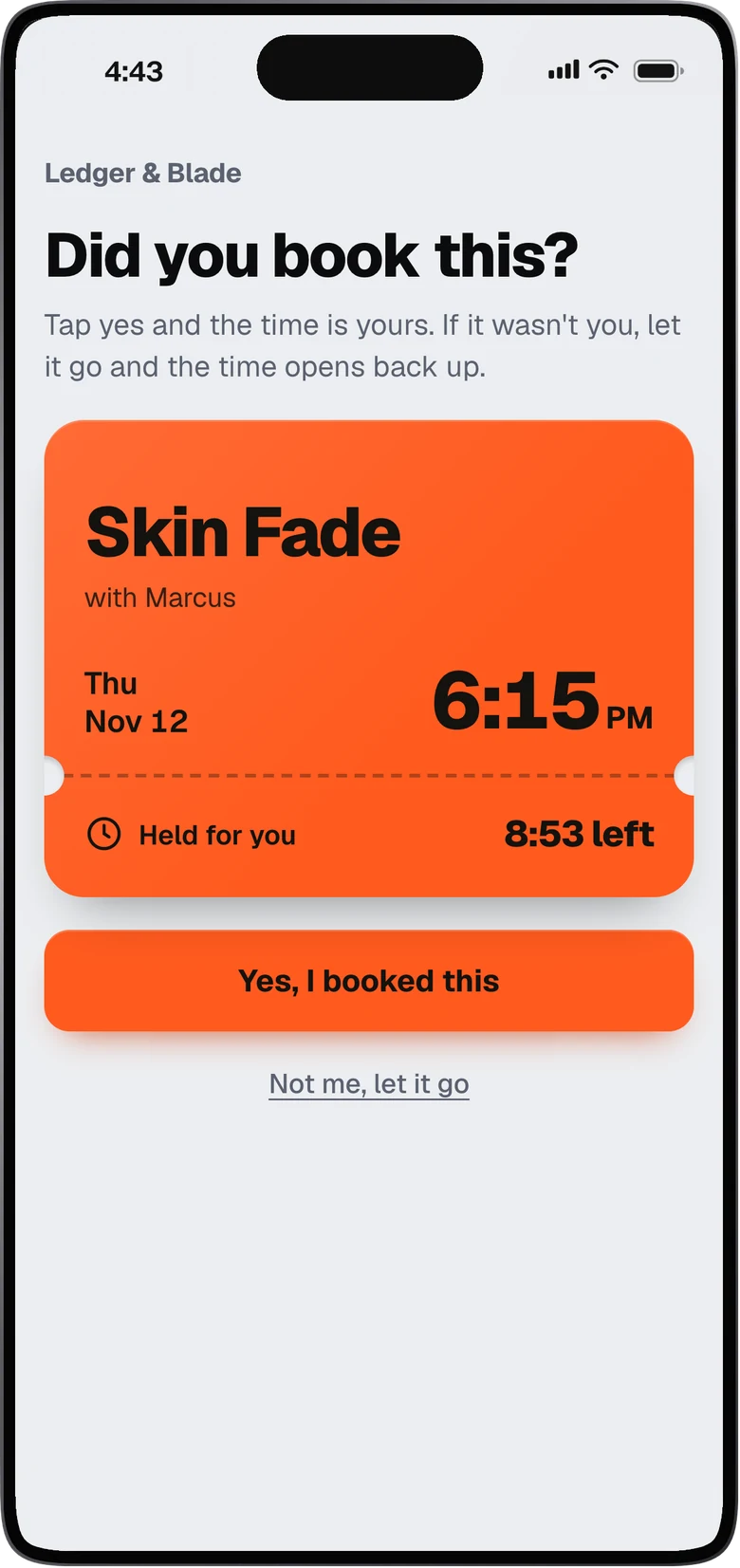
When someone books, we text them a link. They tap it to lock in the time. If nobody taps, the time opens back up for someone else. A fake or mistyped number can’t hold a chair.
What the system does for you
For shop owners, barbers who rent a chair and solo barbers. Every feature below gives you money or time back. Here is what it does, and how it works for you.
The screens on this page are from our model shop, Ledger & Blade. The barbers, clients and bookings are samples.
Fewer empty chairs
Most empty chairs come from bookings that were never real, or a day that sold out while people wanted in. We fix both.
Only real bookings take a time.
When someone books, we text them a link. They tap it to lock in the time. If nobody taps, the time opens back up for someone else. A fake or mistyped number can’t hold a chair.
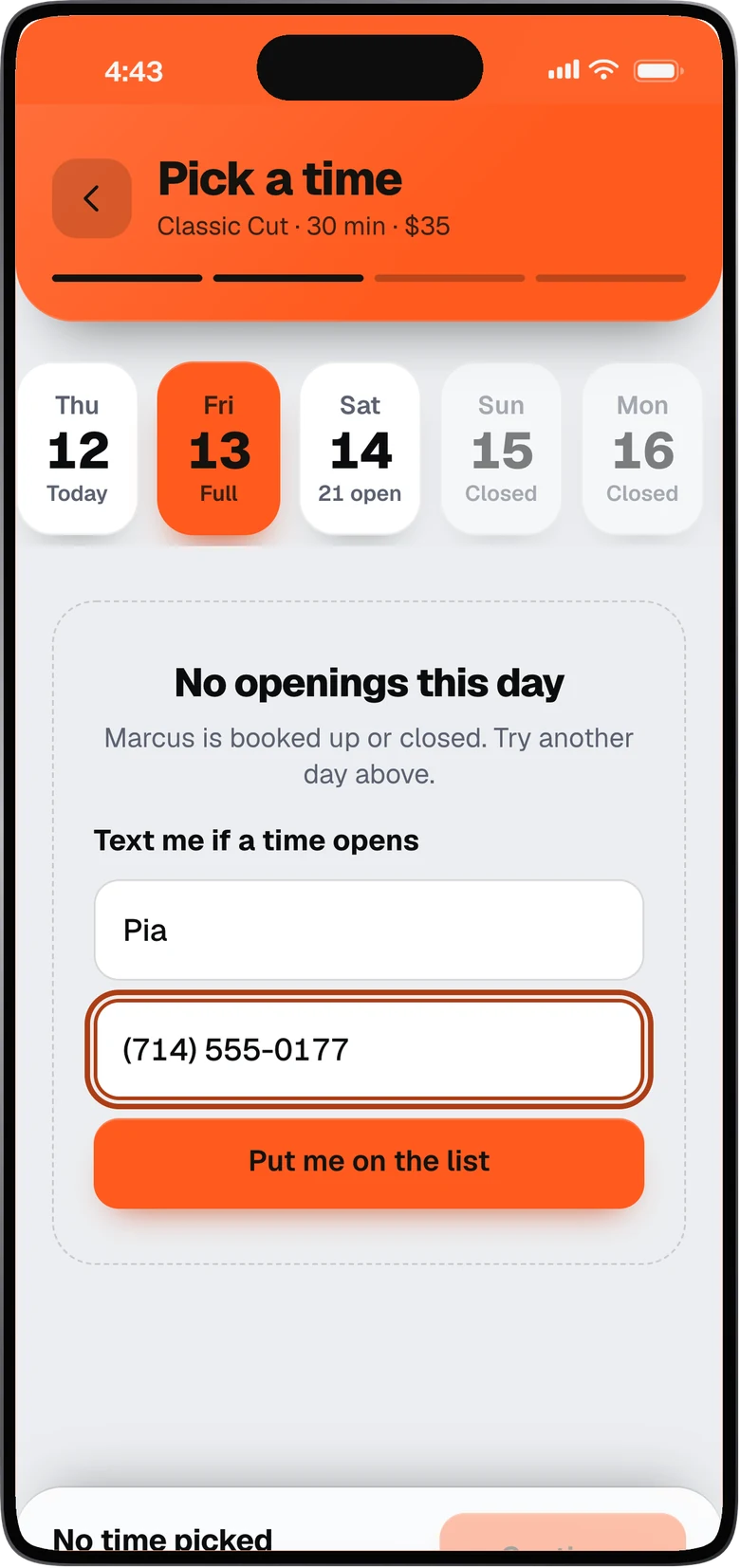
Clients join the waitlist for a full day.
When a day is booked solid, they can wait for a time to open instead of going to another shop. When someone cancels, the first on the list gets a text and taps to take the time. A cancelled time doesn’t sit empty.
Money in
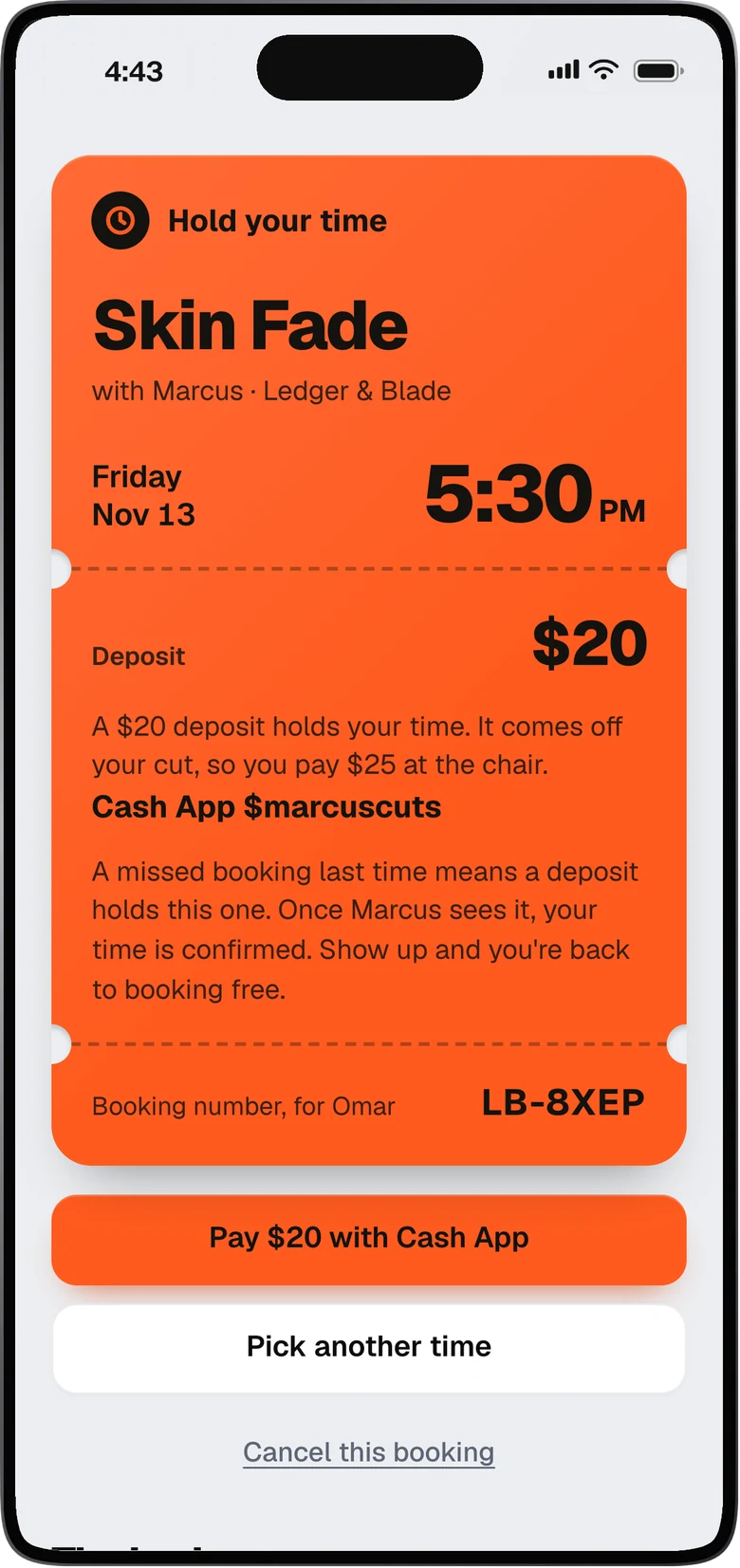
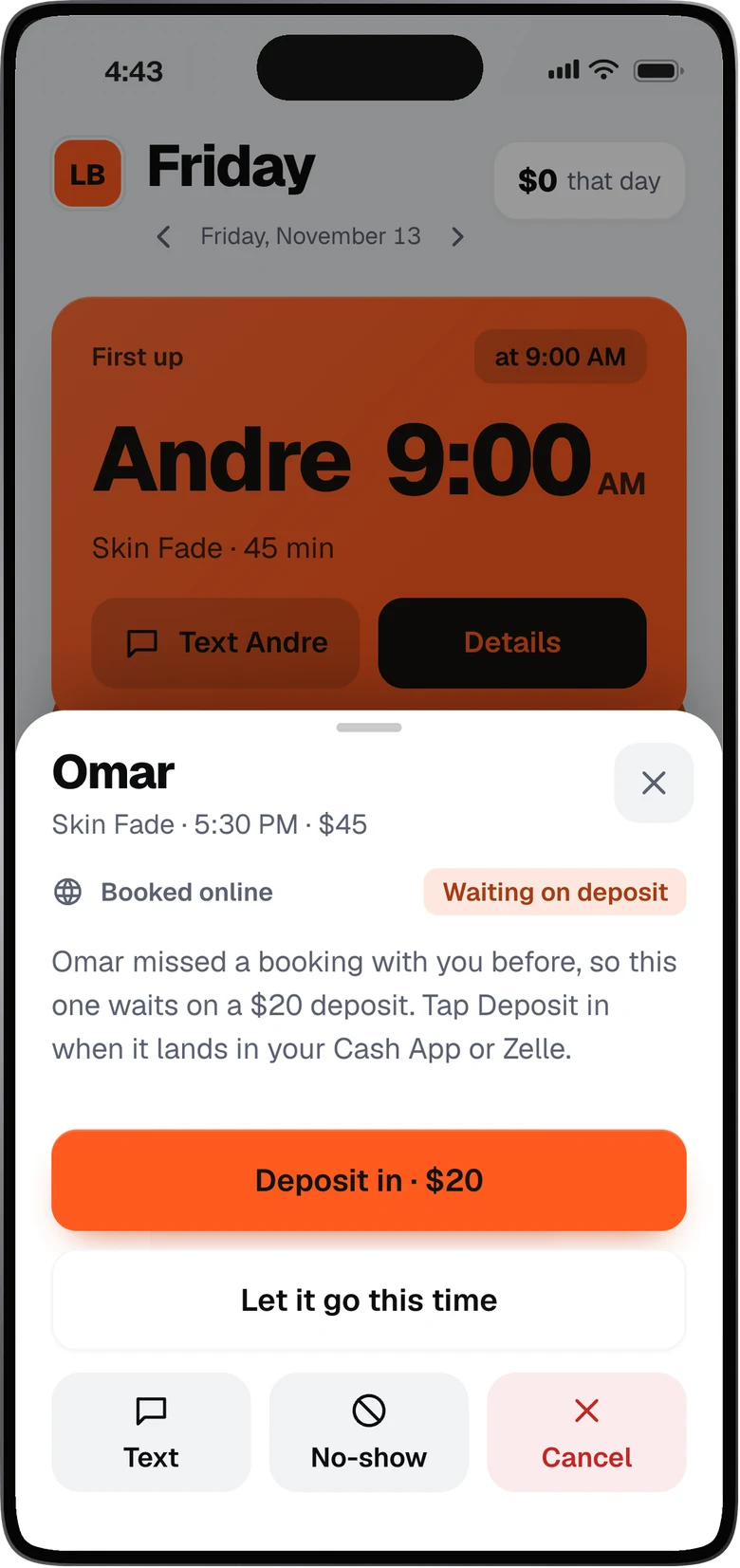
A no-show costs you a chair and an hour. Now the next booking comes with a deposit.
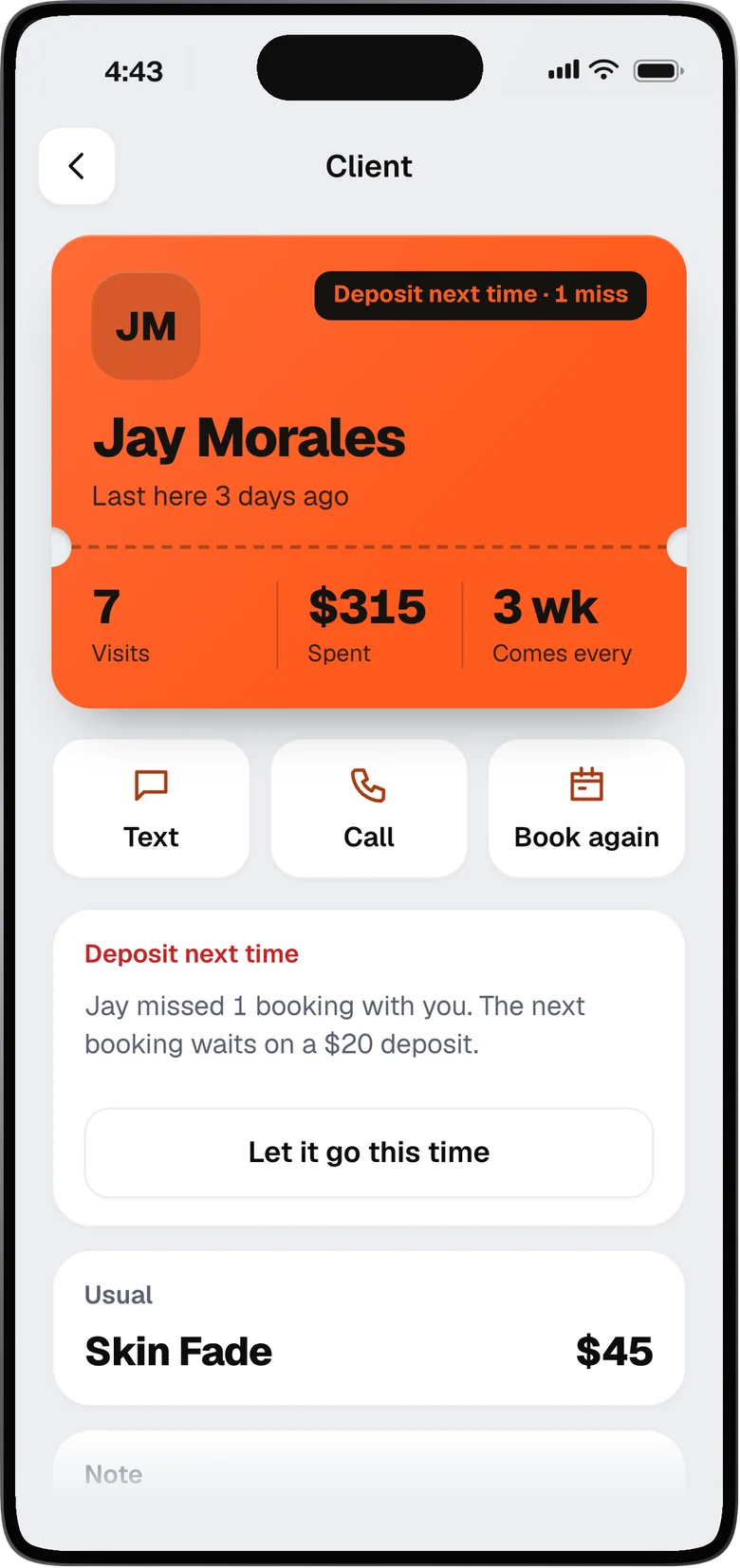
Miss once, and the next booking waits on a deposit.
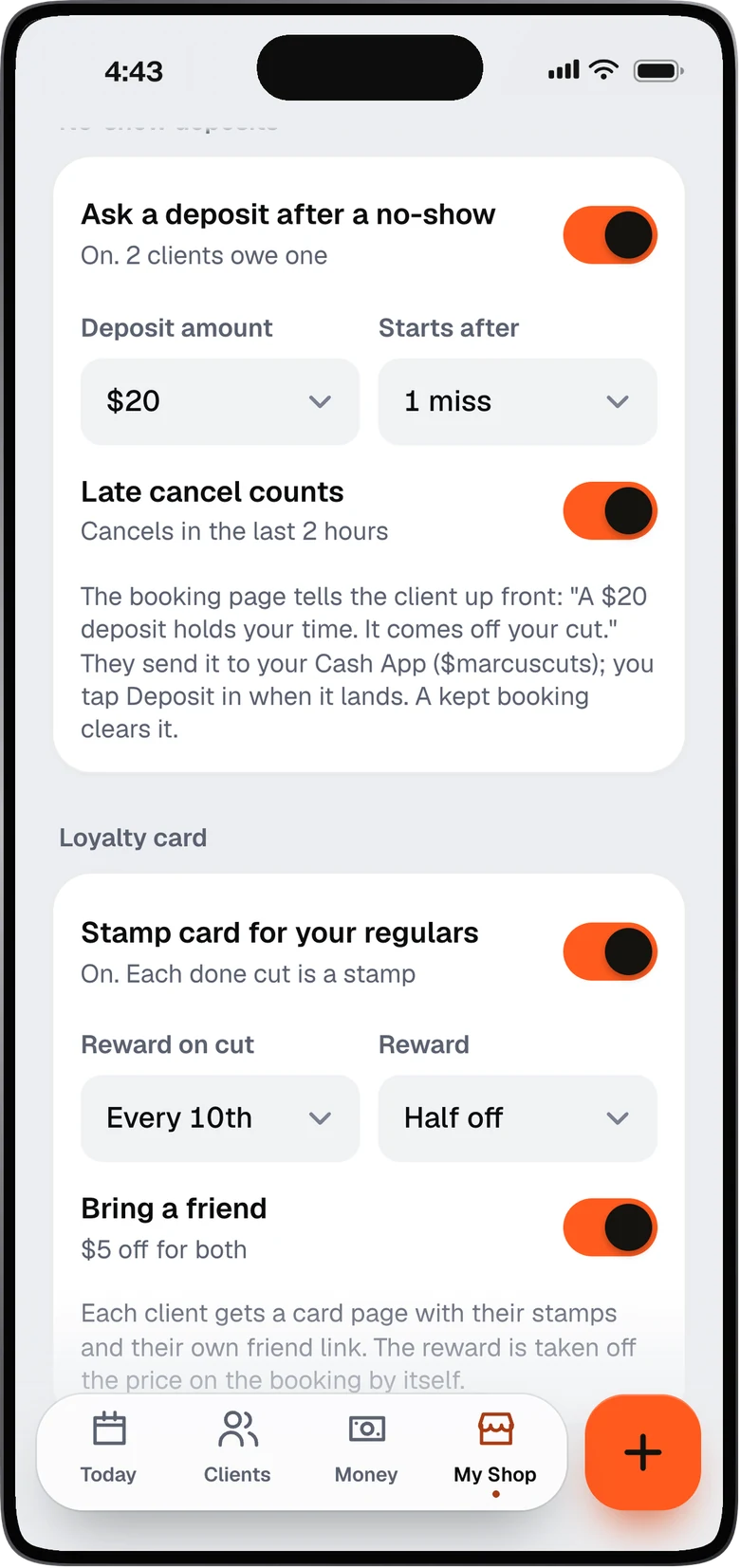
The default is $20, and it comes off the cut. You choose the amount. The client sends it to your Cash App, Venmo or Zelle. When it lands, you tap Deposit in. If it doesn’t come in within 2 hours, the time opens back up. If they keep the cut, the deposit is cleared.
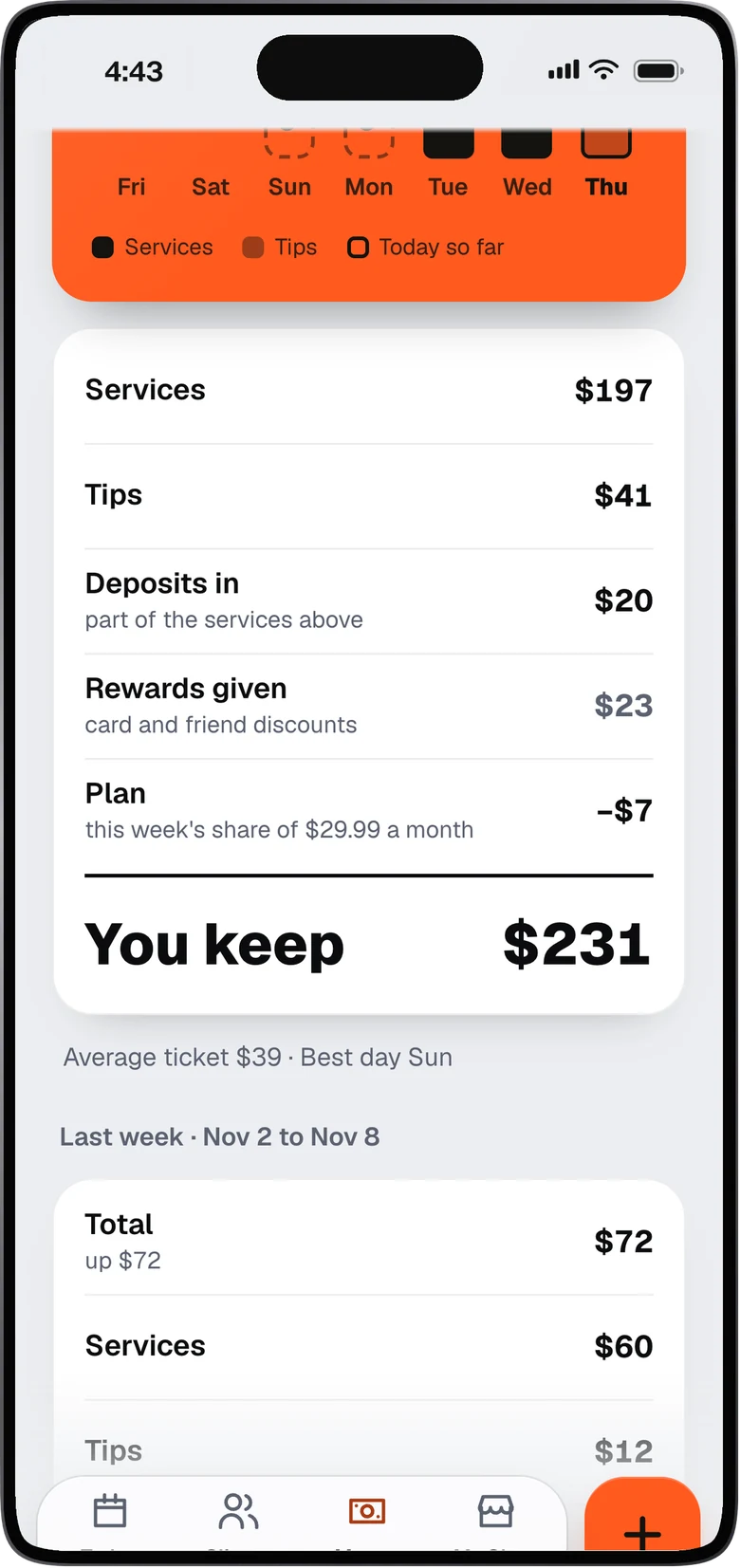
Cuts, tips, deposits and rewards in one place.
Everything you earned adds up on one screen. See it by week and by year, and stop piecing it together from texts and cash.
Regulars come back
A regular is worth more than a new face. Give them a reason to rebook, and bring their friends.
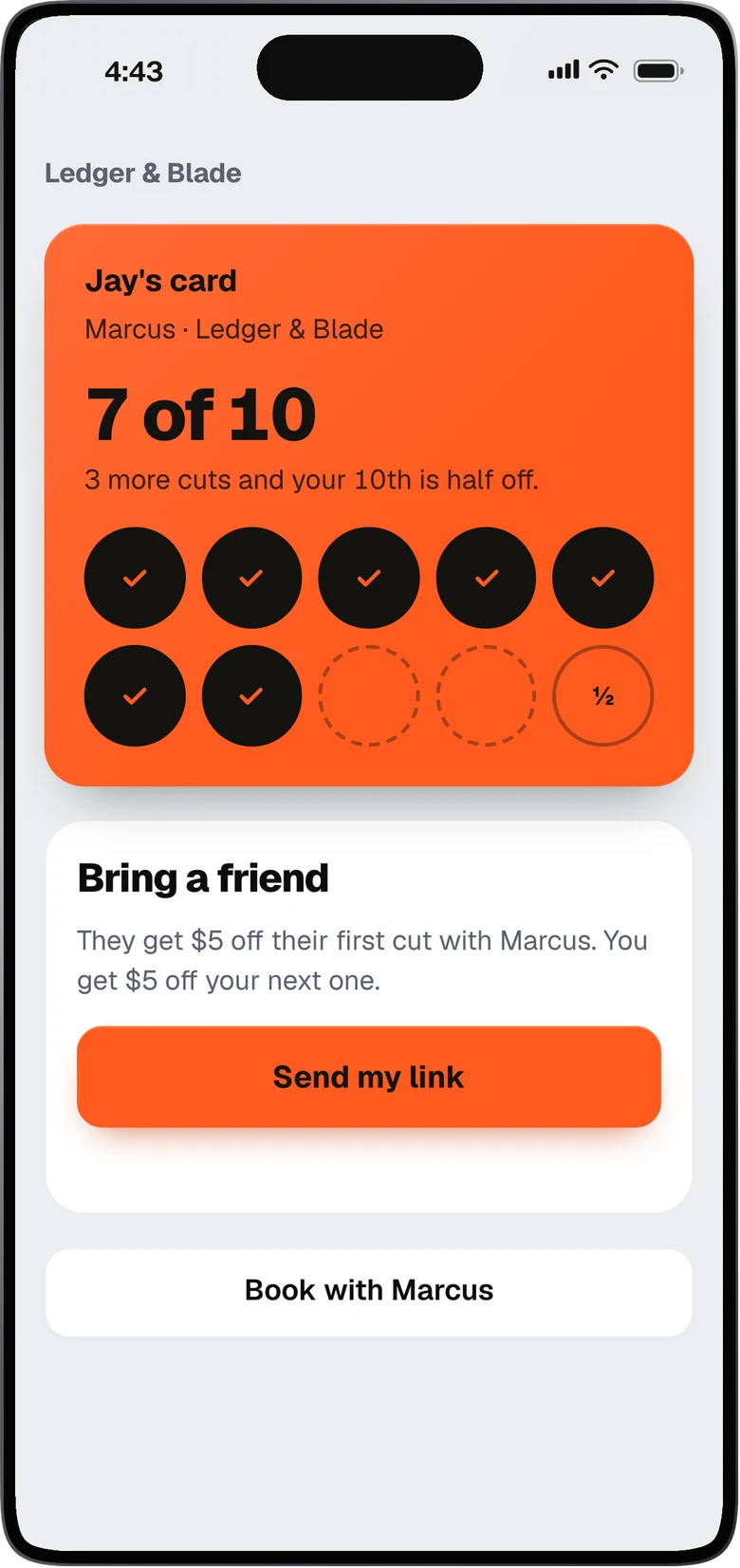
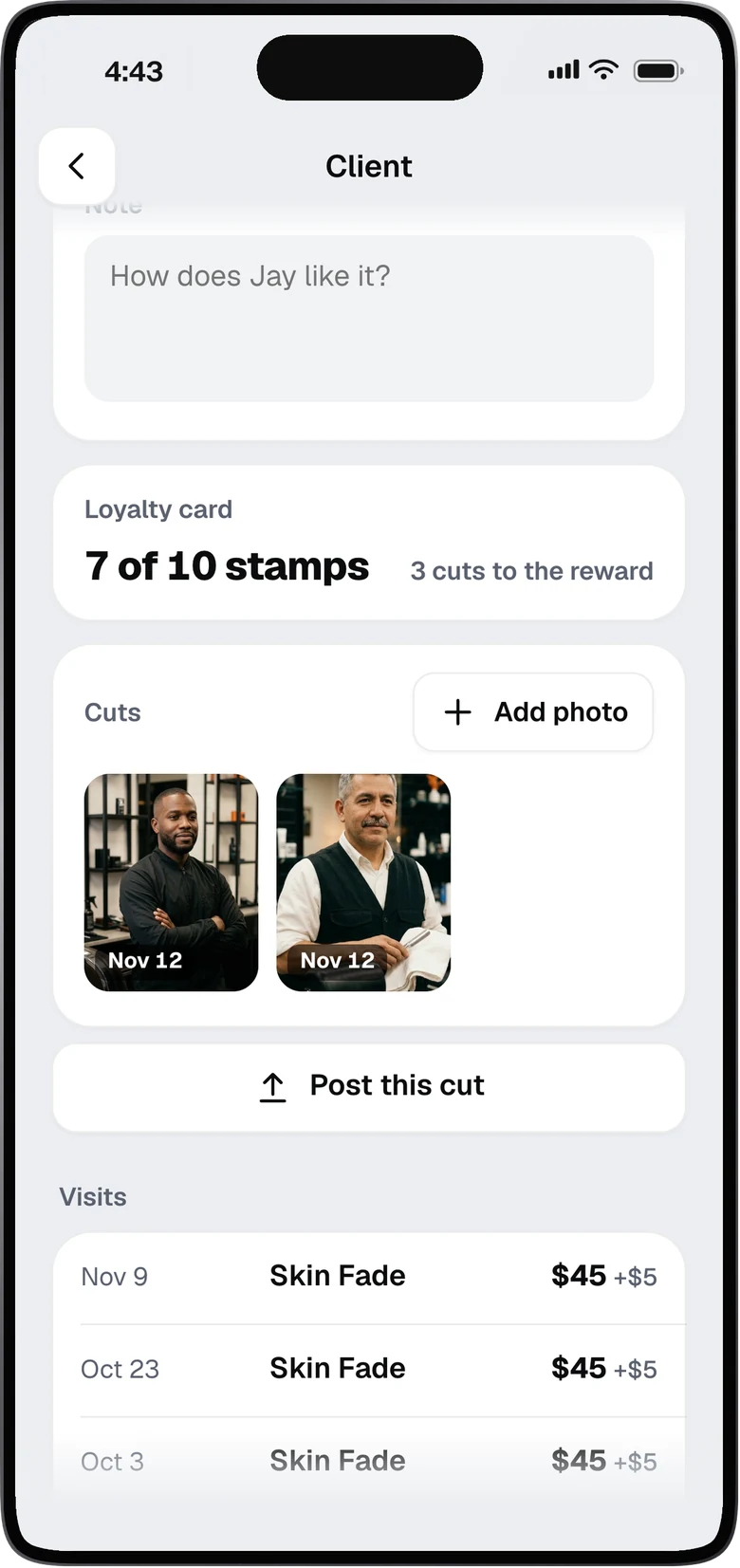
Every 10th cut is half off.
You pick the reward. Stamps add up from the cuts you mark done, and each client gets their own card page.
Bring a friend: the friend gets $5 off their first cut, and your client gets $5 off their next.
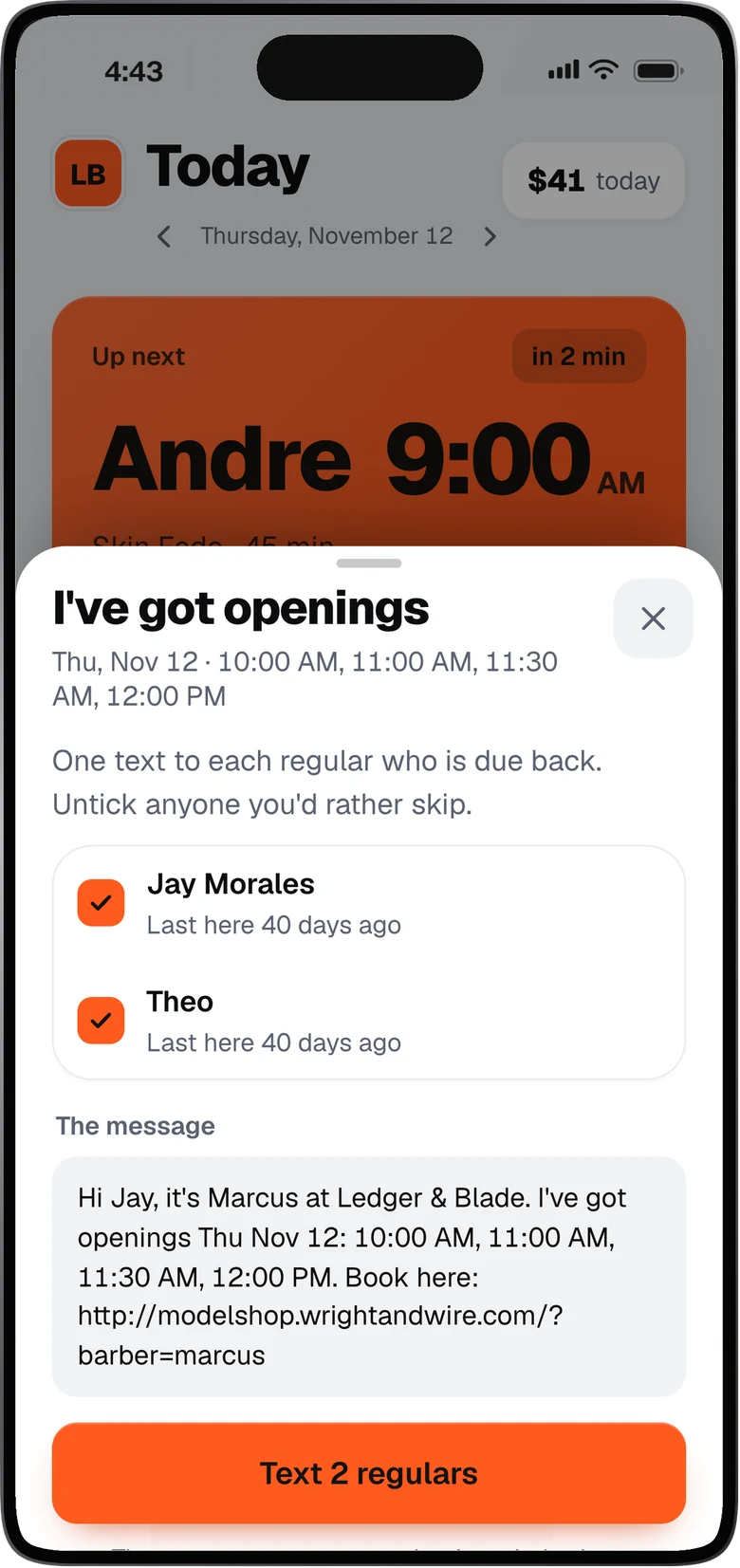
“I’ve got openings” texts your regulars.
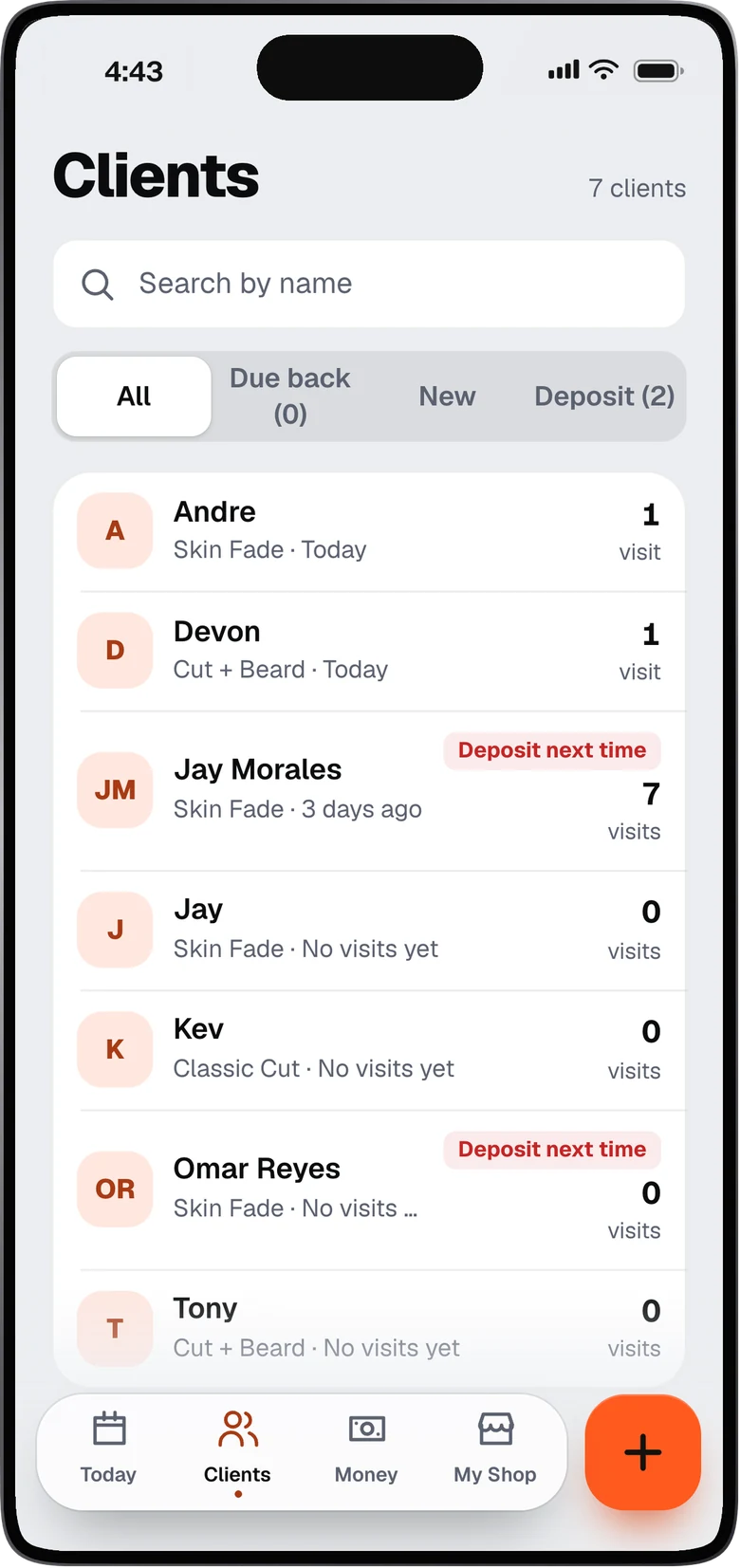
One tap texts the regulars who are due back, with the open times and your booking link. You see the list and the message first, and untick anyone you want to skip.
Get seen
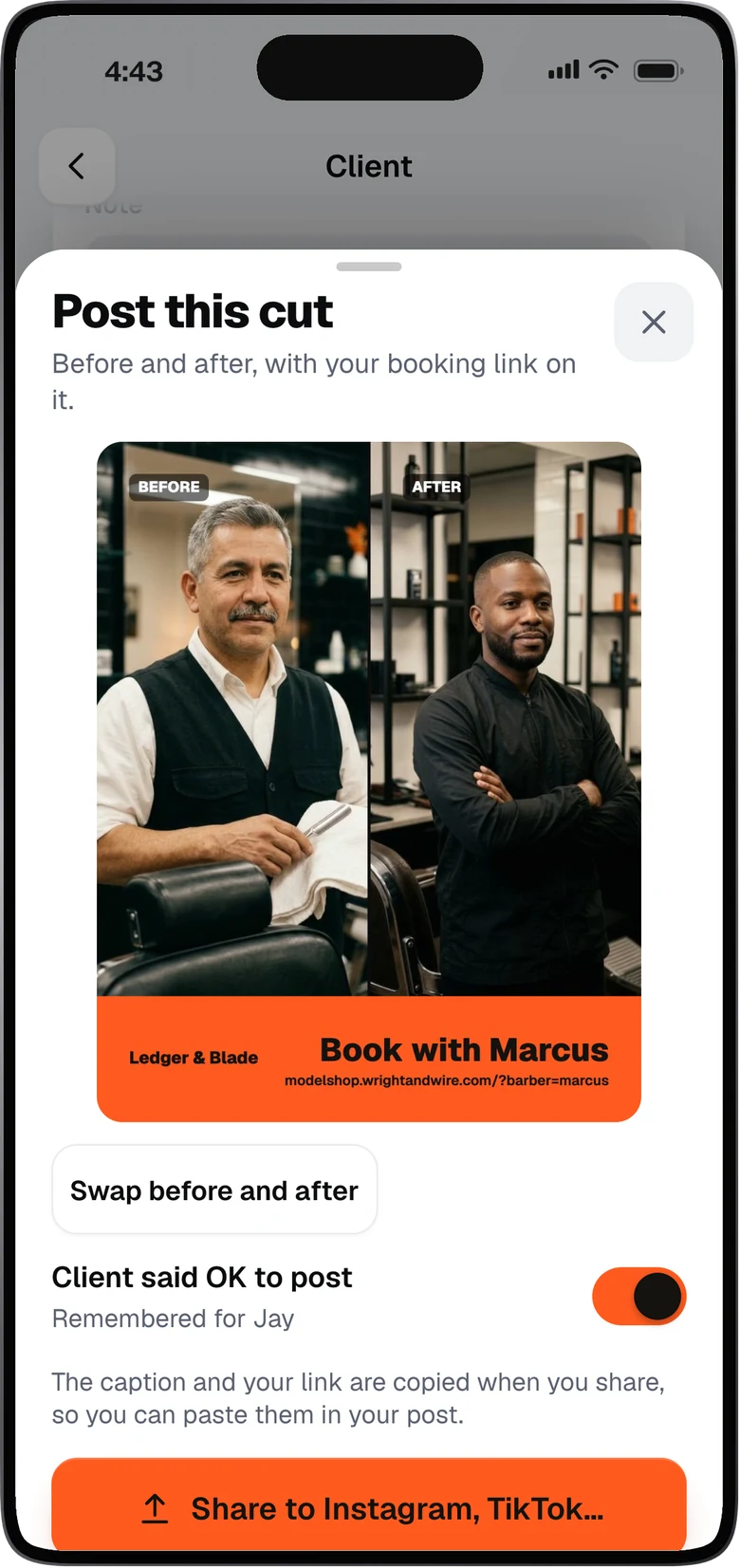
The cut you are proud of is your best ad. We make it easy to post it.
Before and after, with a booking link on it.
Add the two photos. We put them side by side with Book with and your name, plus your booking link. Share it to Instagram or TikTok, and your caption and link are copied for you.
It only works when the client has said OK to post.
Already in the system
These come with every shop.
Each barber gets a QR code and a card for the chair. Clients scan it and book with you.
Clients get a reminder the day before, so they remember to come.
Keep a note and photos for each client, so you remember what they like.
A short look back at your week, every week.
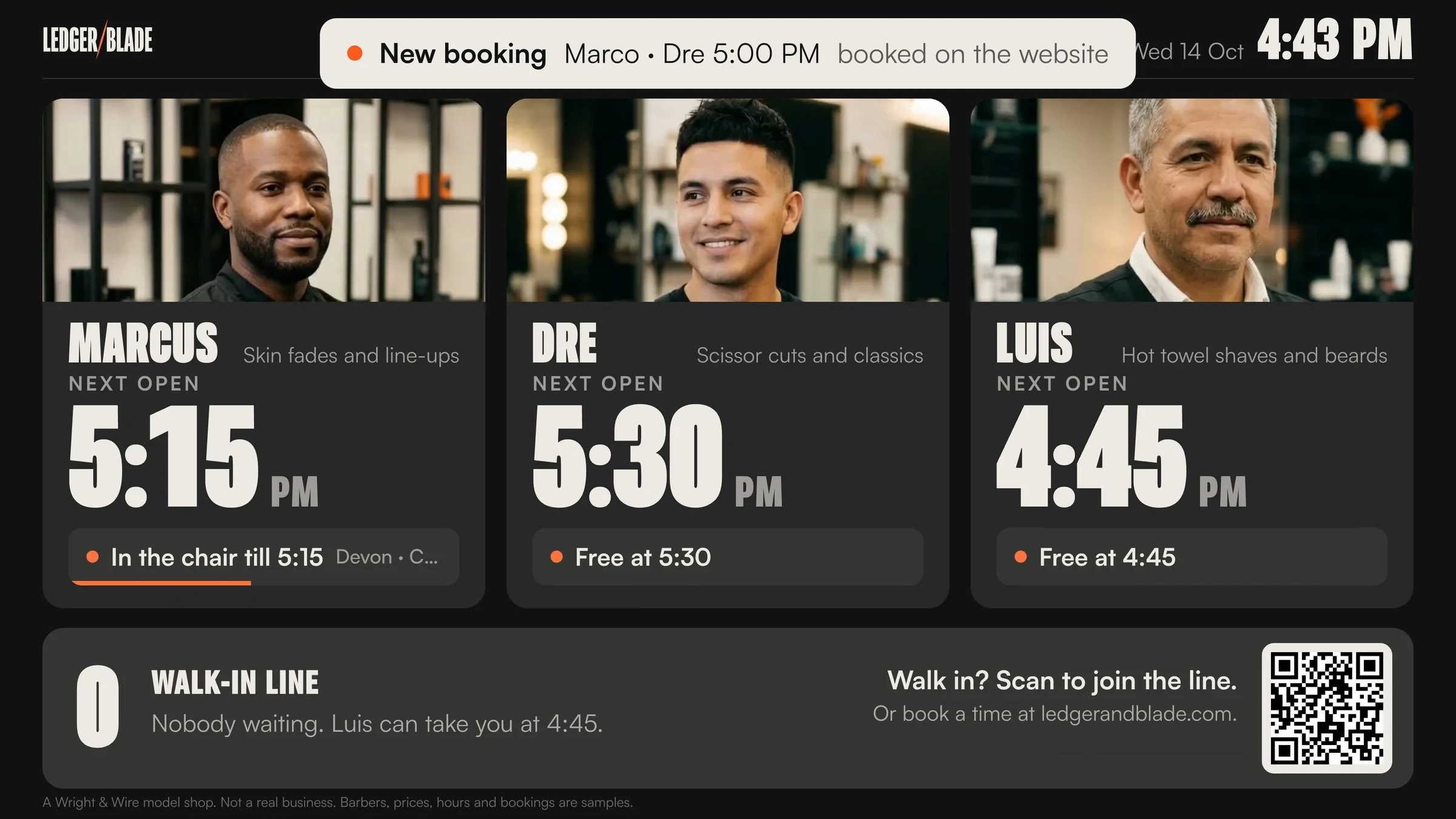
Who is next, the open gaps, and one button for a walk-in.
Who’s free, who’s next and the walk-in line.
The board runs by itself on a TV in your shop. Walk-ins scan the code and join the line from their phone.
Free to see. $297 to launch.
Tell us about your chair or your shop. Within 2 business days you get a link to it running on the real system.